Discover the secrets of the best free CAD software of 2026 with our complete guide – you won't want to miss it!
Have you ever wondered how buildings, cars or even toys are designed? One of the tools that helps people create these amazing things is called CAD-software.
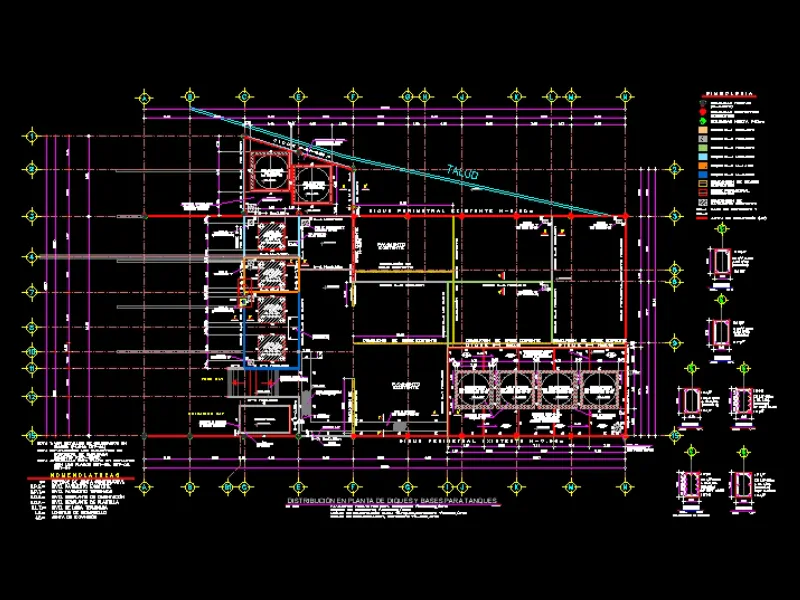
CAD means Computer Aided Design. It is a special type of software that allows designers to make detailed drawings and plans using a computer.
What is CAD?
In simple terms, CAD is like a digital drafting table. Instead of using pencil and paper, designers can create their work on a screen. They can draw shapes, make 3D models, and even change their designs quickly and easily.
CAD software helps people see their ideas come to life before putting them into real-life practice.
Why is CAD important?
CAD is important because it is used in many fields. Architects use it to design buildings. Engineers use it to create machine and vehicle parts. Even artists use it to make sculptures! This software makes it easy to plan, test, and improve ideas.
With CAD, designers can catch errors before spending money on materials, saving time and resources.
What does 'free' mean?
Now, you may have heard of something called "Free CAD Software«, this means that you can use the software without paying for it. Free CAD software can be very useful for beginners who want to learn.
Although it is free, it can help you create impressive designs. It's a great way to start exploring the world of CAD without spending any money!
Main features of CAD software
When we talk about top CAD programs, we are talking about tools that help create impressive designs. These programs have some cool features that make designing easier and more fun.
Let's see what makes CAD software special!
Drawing tools
One of the best parts of CAD software is its drawing tools. These tools allow you to create lines, shapes and curves with precision.
Imagine using a super sharp pencil that never makes mistakes! You can draw anything from simple boxes to complex shapes.
The software also allows for different colors and styles, which helps your designs stand out. This means you can show your ideas clearly and make them look great.

Design 3D
Another amazing feature is 3D modeling. This is where CAD software really shines! It allows you to create three-dimensional objects that you can see from all angles.
Think of it as building a virtual toy. You can rotate it and see how it looks from the front, back and sides. This feature is very useful because it helps designers see what their ideas will look like in real life before building them. It's like a preview of the future of your design!
Simulation
Finally, let's talk about simulation. This feature is very important because it helps test your designs. You can see how a design will perform in real-world conditions, such as whether it can withstand pressure or whether it will move as planned. It's like running a video game simulation where you can find out if your character can win a race! This helps designers troubleshoot problems before starting construction, saving time and materials.
In summary, top CAD programs offer fantastic drawing tools, 3D modeling, and simulation features. These tools make it easy to realize your creative ideas in a smart and efficient way.
The best free CAD programs
When it comes to using CAD software, there are many options available, especially if you are looking for something free. In 2024, several free CAD programs can help you design and create amazing projects without costing you a dime.
Let's take a look at some of the best CAD programs you can start using today.
FreeCAD
FreeCAD is a powerful tool for anyone interested in 3D modeling. It is open source, which means that many people can contribute to improving it.
One of the main features of FreeCAD is that it allows users to create complex designs with ease. You can create and edit 3D shapes and even use it for engineering projects. It is perfect for students and hobbyists who want to explore the world of CAD.
TinkerCAD
TinkerCAD is another great option for beginners. What makes TinkerCAD unique is its easy-to-use interface. You can drag and drop shapes to create your designs. It's also great for 3D printing!
With TinkerCAD, you can quickly turn your ideas into real objects. This makes it a favorite among young designers and those new to CAD.
Free SketchUp
SketchUp Free is a great option for those who want to create 3D models easily. It's simple and fun to use, especially if you're just starting out. SketchUp has many built-in templates and tools that help you design everything from buildings to furniture.
The free version gives you enough features to create impressive projects, making it a good option for beginners who want to learn CAD skills.
Pros and cons of free CAD software
El free CAD software offers many advantages that can help you get started with your design projects. First of all, it costs nothing! This means anyone can try it without worrying about spending money. Having access to these programs allows students, hobbyists, and even professionals to explore their creativity.
Another advantage is that many free CAD programs are easy to use.. They often include helpful tutorials and guides, making it easy for beginners to learn design. This is ideal for children and anyone new to CAD.
Furthermore, Free software can be a good way to practice and develop skills before moving on to more advanced programs.
Many free CAD programs also have a supportive community. This means you can find forums and groups where you can ask questions and share your designs. Getting help from others can make learning even more fun!
Disadvantages
While free CAD software has many advantages, there are also some disadvantages to keep in mind. One of the main disadvantages is that free programs may not have all the features you need. You may find that some of the top CAD programs offer advanced tools that free versions lack. This can be frustrating if you want to create more complex designs.
Another problem is that free CAD software doesn't always work smoothly. Sometimes these programs can be slower or crash more frequently than paid software. This can interrupt your work and make it difficult for you to focus on your designs.
Lastly, Customer support for free CAD programs can be limited. If you have any problems, you may have to turn to online forums for help instead of receiving quick assistance from a customer support team. This can cause issues to take longer to resolve than expected.
Tips for Choosing the Right CAD Software
Before choosing a CAD program, think about what you need it for. Are you designing buildings, making toys, or creating cool characters for video games? Knowing your purpose will help you find the best tools.
Some free CAD programs may be perfect for beginners, while others are better for more serious projects. Make a list of the features you want and see which CAD programs best fit those needs.
Check compatibility
Not all CAD programs work the same on all computers. Some may need a powerful computer with a powerful graphics card, while others can run on simpler machines. Before downloading any free CAD program, check if your computer meets the requirements. This way, you won't waste time with a program that won't work for you because it isn't compatible with your device.
read reviews
Checking reviews can be very helpful when choosing CAD software. Other people often share their experiences and advice on the best CAD programs. Try reading different opinions to see what is the best about a program and what is not. This can help you avoid software that might not be right for you or find one that has all the features you're looking for in CAD 2024.
Which one to choose?
As we have explored throughout this article, the world of CAD software is exciting and full of opportunities. Understand what it is free CAD software can open new avenues for creativity and design. Whether you're interested in making simple drawings or complex 3D models, there are many options free CAD available that can help you get started without spending any money.
We have talked about the main CAD programs that stand out in 2024. Programs such as FreeCAD, TinkerCAD y sketchup free They are excellent options for both beginners and those with more experience. Each offers unique features that can suit different needs, which is important when looking for the right software.
While using free CAD software has its own advantages and disadvantages , the benefits often outweigh the limitations, especially for beginners. The ability to create and design without financial pressure can make a big difference in learning and experimenting.
Choosing the right CAD software for your needs is crucial and it is good to keep in mind the points we have discussed. By understanding your needs, checking compatibility, and reading reviews, you can find the best options among the best CAD programs currently available. This will help you enjoy and get the most out of your CAD experience in CAD 2023 .
With the right tools at your fingertips, who knows what incredible designs you'll create? Go on the adventure and let your imagination fly!
Frequently asked questions (FAQ)
What is CAD software used for?
CAD software is used to create designs and drawings on a computer. It is used by people from many fields. For example, architects design buildings, engineers create parts for machines, and artists create cool 3D models. This software helps them see their ideas clearly before building or doing something. It's like having a magical sketchbook that can also show how things will look in real life!
Is free CAD software good enough?
Yes, many free CAD programs are good enough for most projects. While some people may think that paid software is better, free versions can do many useful things. They come with several tools that allow you to draw, 3D model, and even test your designs. However, it is essential to check if the free program has all the features you need. So be sure to look at the top CAD programs that offer free options!
Can I learn CAD on my own?
Of course! You can learn to use CAD software on your own. There are many resources available online, such as tutorials and videos. Some programs even have built-in help sections. Start with simple projects and gradually try more complex designs. Practice is key! Over time, you will become more comfortable using CAD 2024 software and create amazing designs on your own.