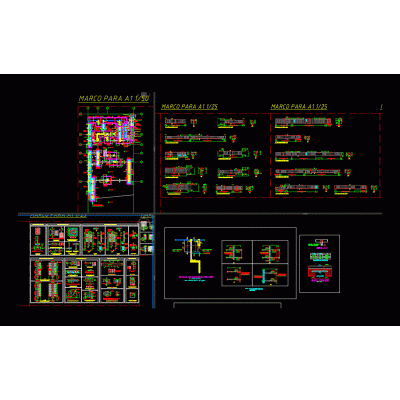
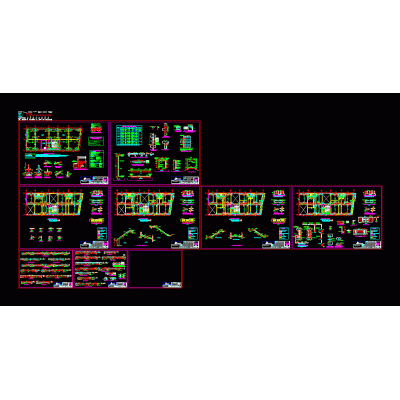
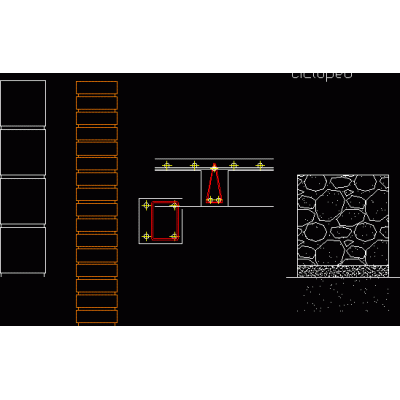
For any structural engineer or construction professional, precision is not an option, it's a necessity. In structural design, every detail counts, and the representation of reinforcing steel in reinforced concrete is one of the most critical aspects. This is where CAD blocks of reinforced concrete and reinforcement They become an indispensable tool, ensuring not only technical accuracy, but also unprecedented efficiency in the workflow.
If you spend hours drawing structural details from scratch, this article is for you. You'll discover how a well-stocked block library can transform your design approach, saving you valuable time and minimizing errors.
What are Reinforced Concrete CAD Blocks and Why Are They Essential?
Reinforced concrete CAD blocks are standardized graphical representations of construction elements and details, saved in compatible formats such as DWG or RFA. These pre-designed files accurately illustrate the arrangement of steel (rebar) within structural components such as beams, columns, slabs, and foundations.
The "reinforcement detail" is the heart of the design. Incorrect or imprecise detailing can lead to:
- Structural failures: Improper steel arrangement can compromise the structure's load-bearing capacity.
- Construction errors: Unclear plans cause confusion on site, resulting in costly rework and delays.
- Non-compliance with regulations: Construction regulations (such as Eurocodes, ACI or NTC) are strict regarding reinforcement detailing.
Its main function is simple but powerful: provide a solid and visually clear technical basis for construction plans. Instead of manually drawing each bar, stirrup, or anchor, you can insert a block that already meets standard symbols and regulations, allowing you to focus on the calculations and engineering behind the design.
Therefore, having a library of reinforced concrete CAD blocks reliable is an invaluable asset that speeds up the process and minimizes risks.
Keys to Designing Optimized Reinforcement Details in CAD
Designing optimized reinforcement goes beyond simply drawing steel bars. It involves a series of critical technical decisions that must be clearly reflected in the CAD drawings.

Proper Selection of Bar Type and Arrangement
Each structural element requires a specific type of reinforcement. This includes longitudinal bars, stirrups to confine the concrete and resist shear, anchor hooks, and additional reinforcement in critical areas such as nodes or supports. A good CAD block should represent these elements with millimeter precision and at the correct scale.
Calculation and Precise Graphic Representation
The graphical representation must be impeccable. The block should not only show the reinforcement geometry but also include vital information through labels and attributes, such as:
- Bar diameters.
- Separation between stirrups.
- Anchor and overlap lengths.
- Concrete coatings.
Current Regulatory Considerations and Standards
A professional CAD block should be aligned with industry standards. Using details based on recognized design codes (ACI 318, Eurocode 2, etc.) ensures that your projects meet the required safety and quality requirements.
Key Advantages of Using CAD Blocks for Reinforcement Details
Integrating reinforcement CAD blocks into your structural projects isn't just a matter of convenience; it's a strategic decision that streamlines the entire design and construction process.
- Exponential Time Savings: The most obvious advantage: Using proven, standardized templates for common details eliminates the need to start from scratch, freeing up hours for higher-value tasks.
- Precision and Standardization: Professionally created blocks drastically reduce the risk of human error. Dimensions, scales, and technical symbols are already correct and ready to use, ensuring consistency across all your plans.
- Preview and Check: Not sure if a detail fits your design? Tools like free online CAD viewer from CAD Library They allow you to inspect each DWG file directly in your browser. You can rotate, zoom, and analyze the block before downloading it, ensuring it's exactly what you need.
- Improved Communication: Clear, standardized plans are easier to interpret by the entire project team, from the architect to the construction team. This minimizes misunderstandings and ensures that construction is carried out as planned.
- Full Compatibility: The best resources are available in multiple formats (DWG for AutoCAD, RFA for Revit, SKP for SketchUp), making it easy to integrate them into any workflow, whether traditional CAD or BIM.
Types of Reinforcement Details You'll Find in the CAD Library
A quality library should offer a wide range of solutions. In the section on Concrete Construction Details From CAD Library, we have classified thousands of blocks to cover all your needs:
1. Reinforcements in Beams and Columns
Here you'll find all the details you need for the vertical and horizontal elements of your structure. This includes:
- Flexural and shear reinforcements.
- Transverse reinforcements such as stirrups and straps.
- Details of seismic hooks and overlaps according to ACI or Eurocode regulations.
- Cross sections and elevations ready to be inserted into your plans.
2. Details of Slabs and Foundations
The foundation of any structure. We have reinforced blocks for:
- Isolated and combined footings.
- Foundation slabs (bases).
- Details of the assembly of ribs and capitals.
- Anchors and reinforcements for high point loads.
3. Earthquake-Resistant Connections and Special Anchors
In seismic zones, detailed connections are vital. Our library includes blocks that show:
- Beam-column nodes with special reinforcement for energy dissipation.
- Mechanical and chemical anchors.
- Seismic isolation details that comply with the most modern regulations.
How to Choose and Use Reinforcement CAD Blocks in 5 Steps
1. Define your Need: Clearly identify the structural element (beam, footing, etc.) and the design regulations that you must apply.
2. Find Reliable Resources: Prioritize libraries with updated content reviewed by professionals, such as Libreria CADThis guarantees the quality and technical relevance of the blocks.
3. Inspect Before Unloading: Use the online CAD viewer to examine the level of detail, layers, and scales. No more blind downloads!
4. Integrate into your Software: Download the appropriate format (DWG, RFA) and insert it into your model. Make sure to place it on the correct layers to maintain order.
5. Customize if necessary: Blocks are an excellent starting point. If your structural calculation requires a modification, adjust it directly in your design software.
Frequently Asked Questions (FAQ) about Reinforced Concrete CAD Blocks
Are the reinforcement blocks in the CAD Library really free?
Yes, the vast majority of our 100,000+ blocks are available for free download just by registeringWe also offer a Premium plan for those who need a larger download volume and access to exclusive content.
Can I use these blocks in any version of AutoCAD or Revit?
Yes. DWG files are saved in formats compatible with most versions of AutoCAD. Similarly, Revit families (.RFA) are tested to ensure compatibility. Technical details are provided in each resource file.
How do I know if a block complies with my country's regulations?
Our blocks are based on international standards such as ACI and Eurocode, which are the basis for many local regulations. The description of each resource provides technical context. However, it is always the engineer's responsibility to validate and adapt the details to applicable local building codes.
What do I do if I can't find the specific detail I need?
Optimize Your Structural Projects Today
In short, the CAD blocks of reinforced concrete and reinforcement They are a strategic asset for the modern structural engineer. They allow for time optimization, quality standardization, and improved communication on projects.
Platforms like Libreria CAD Not only do they give you access to one of the largest libraries in the world, but they also provide you with innovative tools like the online viewer to make your work easier and more accurate.
Are you ready to stop drawing repetitive details and start designing smarter?
Explore our library of reinforced concrete CAD blocks now. and take the efficiency of your structural projects to the next level. Sign up for free and start downloading!